
Dig Into Secrets Controls
WASD, camera drag, tap-to-swing, and where the codes box hides on a phone.
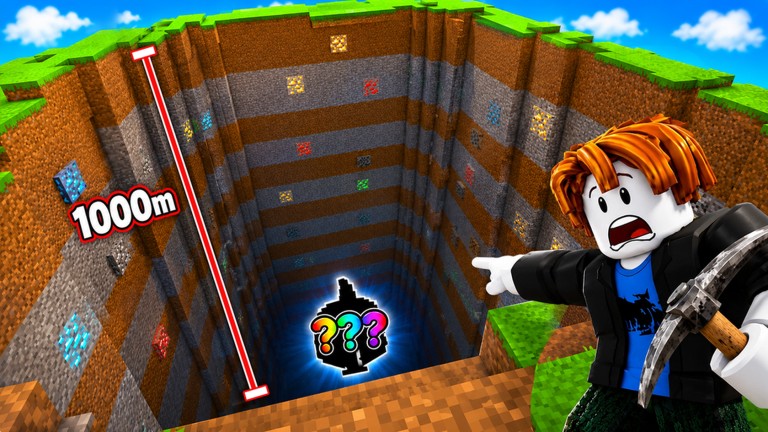
Dig Into Secrets does not ship a unique control scheme. It is a Roblox incremental: you move an R15 avatar, you click or tap to train and mine, and menus live in the HUD. This page is the missing controls sheet so Getting Started does not have to carry every key. There is still no dedicated YouTube control video for this place ID, so we will not embed a DIG shovel minigame clip and pretend it is this title.
PC and laptop
| Action | Input |
|---|---|
| Move | W A S D or arrow keys |
| Jump | Space |
| Camera | Right-mouse drag, or hold right-click while moving |
| Swing / train / interact | Left click on the pad, ore, NPC, or prompt |
| Zoom | Mouse wheel |
| Chat | / or the chat button |
| Shift lock | If enabled in Roblox settings, Shift |
| Leave | Esc → Leave |
The pickaxe is not a separate hotkey. If you are not swinging, you are not targeting a breakable part or a train dummy. Walk closer. The training guide is for Power; this page is for the fingers.
Mobile and tablet
| Action | Input |
|---|---|
| Move | Left thumbstick |
| Camera | Drag on the right side of the screen |
| Jump | Jump button |
| Mine / train | Tap the block, pad, or on-screen action button |
| Menus | HUD icons along the top or side |
| Codes | Shop / gift / Twitter-style icon — see how to redeem |
Rotate to landscape before you redeem. Portrait plus a fat keyboard is why POWERBUFF looks “expired” when you never hit Redeem. After the toast, lock orientation back if you like, then train. The codes checklist has the mobile ticks.
Lower graphics in Roblox settings if a 20-player public plus a deep shaft melts the phone. A private mining server is also a performance control.
HUD you actually need
- Power — whether the next block breaks. If it chips, leave the hole and train.
- Cash — egg money. Unsold loot is not Cash yet; how to sell.
- Backpack — when it is full you are stalled.
- Pet slots — inspect, do not auto-trust newest hatch. Pets.
- Rebirth — do not mash. Rebirth planner.
- Codes / shop — WELCOME and POWERBUFF live here, not in chat.
If a button is missing, finish the tutorial, like the experience, and rejoin. Some +1 titles hide widgets until those clicks.
Camera and depth
Mining a vertical shaft with the camera jammed into dirt is how you miss sparkles and fall through a layer you cannot break. Pull the camera up. On PC, a slight third-person angle lets you see ore color bands from the official thumbnail. On mobile, pinch-zoom out before you drop.
Do not confuse this with DIG’s shovel bar minigame. There is no timing bar documented for Dig Into Secrets. Click/tap the block. If it does not break, that is a Power problem, not a control problem.
Playing with other people
Voice chat is not supported on the experience. You talk in Roblox chat or Discord you brought yourself. Movement is the same. The difference is crowded pads and stolen loot — covered in play with friends and private servers.
Accessibility notes
- Increase UI size in Roblox if the codes field is unreadable.
- Color-blind players should still read rarity from the inspect panel numbers, not from ore hue alone. The loot tier list ranks by Cash per minute, not by pretty.
- One-handed mobile: park on the train pad, tap, do not also steer.
What we will not fake
No custom keybinds list from another miner. No “press E to sell” unless the in-game prompt says E. If a later patch adds a sell hotkey, it will land here with a date. Until then, click the sell NPC or HUD sell button from how to sell.
Return to the guides hub when the fingers work and the loop is the remaining problem.
Frequently Asked Questions
Quick answers for Dig Into Secrets miners.
What are the Dig Into Secrets PC controls?
Standard Roblox: WASD, Space, left click to mine or train. Details on this controls page.
How do I mine on mobile?
Thumbstick to move, tap the block or action button. Landscape helps for codes.
Is there a shovel timing minigame?
Not for this title. If the block lives, raise Power.
Where is the codes button?
HUD shop or gift icon after the tutorial. How to redeem.
Does the game have voice chat?
No. The Roblox page lists voice chat as not supported. Use private servers and text.